Link: UCOP's e-newsletter

Stay Informed. Stay Connected.

Building off the Creating Accessible Documents 1: MS Office training, Accessible PDF Documents offers a deep dive into using Adobe Acrobat Pro to manipulate, tag, and test PDF documents for accessibility. We will cover


Hand touching modern interface digital transformation concept. Connection next generation technology and new era of innovation.

Digital accessibility classes and resources from Learning and Development

Become more savvy about digital accessibility with free live classes and self-paced resources.


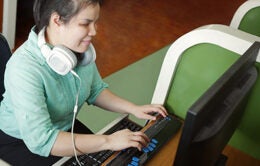
Asian young blind woman with headphone using computer with refreshable braille display or braille terminal a technology device for persons with visual disabilities.

Creating online content for UC? This new law applies to you.

If you create, manage or share digital content as part of your work at UC — whether it’s a website, PDF, PowerPoint, video or social media post — a new federal accessibility law will affect how you do that work.


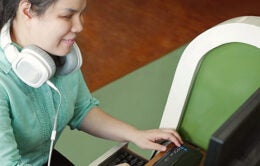
Modern Braille display device connected to a computer, with a visually impaired person using it to read digital text.

Digital accessibility resources from Learning and Development

Build your knowledge of digital accessibility with resources from UCOP Learning and Development.


UCOP Creating Accessible Documents 1: MS Office

Digital accessibility is about ensuring users with disabilities can easily access and engage with any digital content. In this course, you will learn the principles of digital accessibility, how to generate accessible Microsoft Office


UCOP Creating Accessible Documents 2: PDFs

Building off the Creating Accessible Documents 1: MS Office training, Accessible PDF Documents offers a deep dive into using Adobe Acrobat Pro to manipulate, tag, and test PDF documents for accessibility. We will cover


UC promotes digital accessibility with systemwide resources

An on-demand digital accessibility webinar and monthly digital accessibility office hours will make it easier for UC employees to promote digital access.


A blind woman uses a computer with a refreshable braille display, a technology device for people with visual disabilities.

Make your documents digitally accessible

Expand your technical skills in creating documents and PDFs that meet accessibility requirements.


Modern Braille display device connected to a computer, with a visually impaired person using it to read digital text.

New regulations for the Americans with Disabilities Act that will impact UC

New DOJ regulations require updated accessibility standards for all digital properties.


Woman working on a computer

Sign up for tech classes at UCOP

Improve your skills by participating in upcoming training.


A blind woman uses a computer with a refreshable braille display, a technology device for people with visual disabilities.

Mark National Disability Independence Day by exploring digital accessibility

On July 26, ITS colleagues will host a discussion on digital accessibility, based on a topical LinkedIn Learning course.